
The Ultimate Guide to Document Workflow Automation
As a business scales, its biggest enemy is rarely the competition—it is usually internal operational drag. In my consulting experience, I have seen brilliant, fast-growing companies grind to an absolute halt simply because they are drowning in manual paperwork.
Whether it is onboarding a new employee, sending out a complex vendor contract, or processing invoices, manual document handling is slow, prone to human error, and incredibly expensive in terms of labor hours.
The solution to this operational bottleneck is document workflow automation.
What is Document Workflow Automation?
At its core, document workflow automation is the application of software to digitize and manage the lifecycle of a document from creation to archival, completely eliminating manual hand-offs.
Imagine a typical B2B sales contract. In a manual workflow, a sales rep downloads a Word template, manually types in the client's details, emails it to a manager for review, waits three days for approval, converts it to a PDF, emails it to the client, and then manually uploads the signed copy to Google Drive.
With automation, that entire process happens instantly. The sales rep inputs the client data into a web form, the software automatically generates the contract, routes it to the manager's dashboard, and upon approval, fires off a secure e-signature request to the client. Finally, it drops the executed contract directly into your CRM.
How to Document a Workflow Process
Before you can automate a process using software, you must clearly document how the process functions in the real world. You cannot automate chaos. If you are wondering how to document a workflow process, follow these steps:
- Identify the Trigger: What kicks off the process? (e.g., "A new employee is hired.")
- Map the Actors: Who is involved? (e.g., HR Manager, New Hire, IT Department).
- Chart the Steps: List every single action chronologically. (e.g., HR generates offer letter → Candidate signs → IT provisions email account).
- Identify the Bottlenecks: Look for manual data entry, physical printing, or email approvals. These are your targets for automation.
Get a 3-day free trial and enjoy your first 3 months for just $1/month on Shopify!
Claim Shopify Offer →Recommended Legal & Business Tools
*Disclosure: We may earn a commission if you use these partner links.
What is Document Automation Software? (Our Recommendation)
Document automation software is the engine that brings your workflow map to life. It handles the logic, the routing, and the data integration.
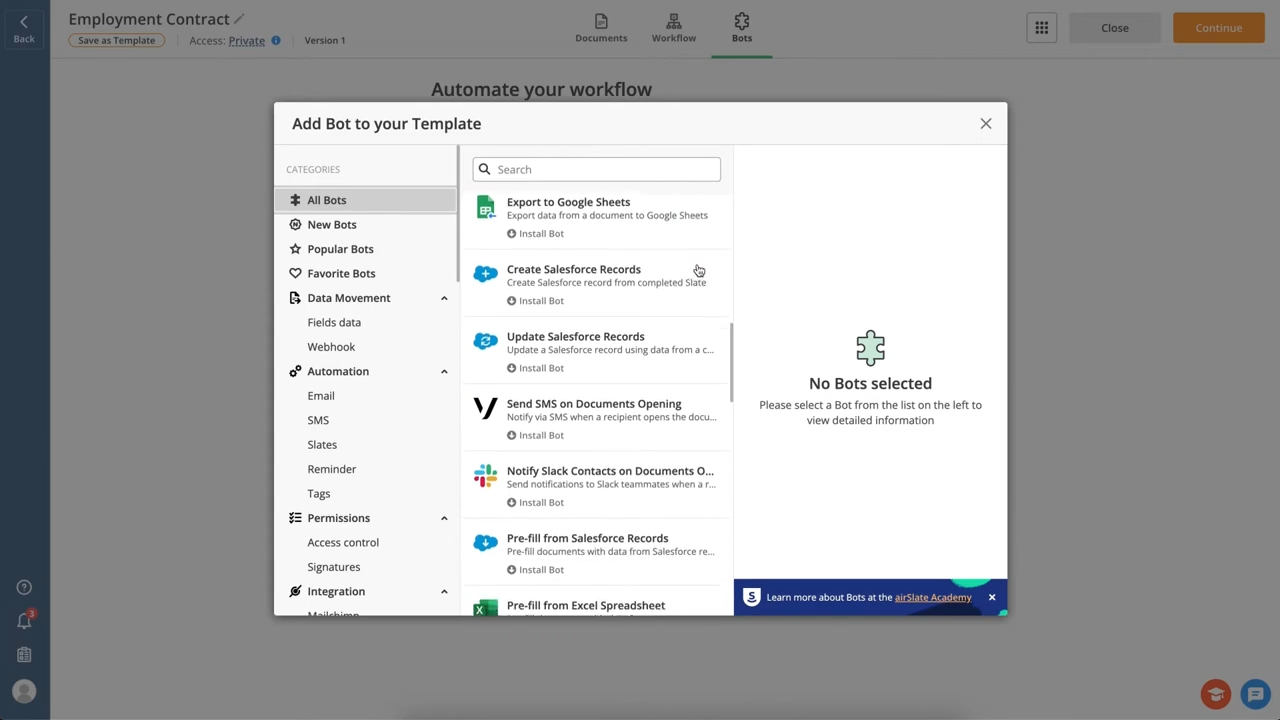
While there are many tools on the market, I consistently recommend airSlate to my clients who are serious about operational efficiency. airSlate is a no-code workflow automation platform that is incredibly powerful yet surprisingly easy to use.
With airSlate, you can build dynamic document templates, set up conditional routing (e.g., "If the contract value is over $10,000, route to the CEO for approval"), and collect legally binding e-signatures all within a single ecosystem.
Frequently Asked Questions (FAQs)
What is document workflow automation?
Document workflow automation is the use of software to automatically generate, route, approve, and store business documents without manual human intervention.
How to document a workflow process?
To document a workflow process, start by defining the trigger. Then, visually map out every subsequent step: who creates the document, who approves it, who signs it, and where it is ultimately stored.
What is document automation software?
Document automation software, like airSlate, is a digital platform that allows you to digitize and automate your paperwork processes, reducing human error and speeding up operational efficiency.

About the Author: Prosun
Prosun is a leading expert in digital compliance, business automation, and e-commerce infrastructure. With years of experience helping startups and SMBs navigate the complex world of online legalities, he specializes in finding practical, software-driven solutions for modern business operations.